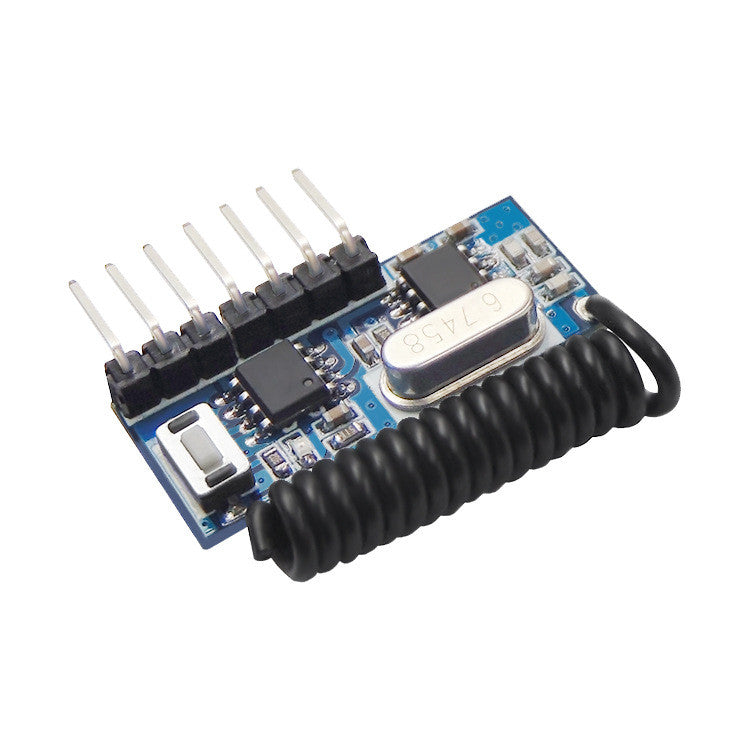
Fulabs Wireless 433Mhz RF Module Receiver and Transmitter Remote Control Receiver Module
Couldn't load pickup availability
I. Product Parameters
Product Name: Superheterodyne Four - Channel Decoding Module
Operating Frequency: 433 (default). For other frequencies, please contact customer service.
Chip Models: EV1527, PT2262. For other models, please contact customer service for customization.
Operating Voltage: DC 2 - 5.5V
Operating Current: 3mA
Product Weight: 5g
Module Output: 4 - channel CMOS level signals, which can correspond to the "ABCD" 4 buttons of the remote control.
Operating Modes: 7 modes including momentary, self - locking, interlocking, etc. For other modes, contact customer service for customization.
Number of Remote Controls Storable in the Receiving Module: 16
II. Precautions for Using the Module
This module is a wireless communication electronic module. Please take precautions against moisture, dropping, and static electricity.
When applying, pay attention to the power supply surge of the receiving module. Never let the power - on voltage exceed 5V.
The module is shipped with pins installed by default. If not used for a long time, please take precautions against moisture to avoid pin oxidation due to moisture, which will affect the pin contact effect and welding effect.
When using for the first time, it is necessary to clear the code to empty the remote control code stored for factory testing. After successful code pairing, the LED indicator light of the valid remote control code will light up accordingly.
When using and installing, try to avoid interference sources and environments similar to a shielding cover, which will directly affect the receiving sensitivity.
Do not use it abnormally. Abnormal use will reduce the product performance and service life. In severe cases, it will directly damage the product and bring hidden dangers to your safety.
III. Operation Instructions
01. Code Clearing and Pairing
Press the learning button, the LED flashes, and the code clearing is completed. If a remote control needs to change the working mode, clear the code first and then learn
02. Momentary Mode
Press the learning button, then press the button on the remote control to be paired. The LED flashes three times, and the learning is successful.
03. Self - Locking Mode
Press the learning button, then press the button on the remote control to be paired. The LED flashes three times, and the learning is successful.
04. Interlocking Mode
Press the learning button, press the A button on the remote control to be paired, the LED flashes three times; then press the B button on the remote control to be controlled, the LED flashes three times, and the learning is successful.
05. Momentary + Self - Locking: Two - Channel Mode
Press the learning button, press the button on the remote control to be paired. The LED flashes three times, and the learning is successful.
06. Two - Channel Self - Locking: Two - Channel Interlocking Mode
Press the learning button, press the button on the remote control to be controlled. The LED flashes three times, and the learning is successful
- Express Delivery
- 12 Months Warranty
- 7 Days Easy Replace