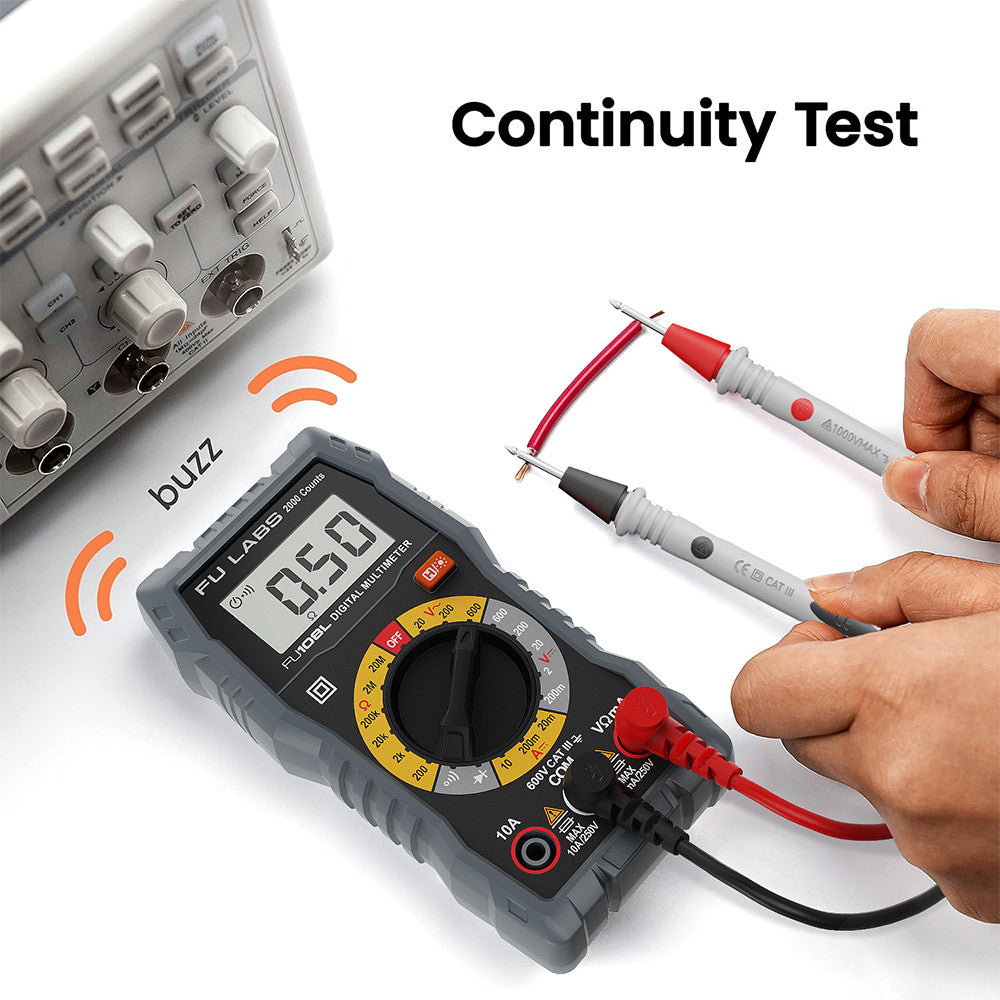
FULABS Digital Multimeter Tester Electrical Test Tool CAT.III 600V FU108L HT108L KIT
Couldn't load pickup availability
FULABS Digital Multimeter Tester Electrical Test Tool CAT.III 600V FU108L HT108L KIT
Model No. : FU108L
Product Specification:
►LCD Display 2000 counts
►DC Voltage: 200mV/2V/20V/200V/600V
►AC Voltage: 200V/600V
►DC Current: 200uA/2mA/200mA/10A
►Dimension : 7 x 5 x 15 cm (L*W*H)
►2 AAA batteries, 2 high-quality 600V 10A test probes, and our set includes a complimentary mini cross screwdriver, a mini flathead screwdriver, a roll of electrical tape, two alligator clip leads, and a mini wire stripper
►with manual
!!!! PLEASE READ BEFORE USING THE ITEM !!!!
How to Use the Fulabs 600V Digital Multimeter Tester (FU108L)
️ Safety Precautions:
Always set the dial to the correct function before testing.
Do not exceed the maximum voltage or current rating.
Use the correct probe ports for current (A) measurements.
Never measure resistance or continuity on a live circuit.
Remove test leads when changing settings.
Step-by-Step Guide to Using the FU108L
1. Power On the Multimeter
Insert the 2pcs batteries into the compartment if not already installed.
Turn the dial to the desired function (Voltage, Current, or Resistance).
2. Measuring DC Voltage (e.g., Batteries, Circuits)
This multimeter features a backlit screen. Simply long-press the "H/Light Bulb" button to switch between backlight on and off.
1️⃣ Turn the dial to DC Voltage (V⎓) and select the appropriate range (e.g., 200mV, 2V, 20V, 200V, 600V).
2️⃣ Insert the black probe into the COM port and the red probe into the VΩmA port.
3️⃣ Touch the black probe to the negative (-) terminal and the red probe to the positive (+) terminal of the circuit or battery.
4️⃣ Read the voltage value on the LCD display.
Example: To test a 12V battery, set the dial to 20V in the DC range.
3. Measuring AC Voltage (e.g., Wall Outlets, Appliances)
1️⃣ Turn the dial to AC Voltage (V~) and choose 200V or 600V, depending on your region’s voltage.
2️⃣ Insert the black probe into the COM port and the red probe into the VΩmA port.
3️⃣ Carefully place both probes into the socket holes (or across the terminals of an appliance).
4️⃣ Read the voltage value on the display.
️ Warning: Be cautious when measuring AC voltage, as household power can be dangerous!
4. Measuring DC Current (e.g., Circuits, Batteries)
1️⃣ Select the correct current range (200µA, 2mA, 200mA, 10A).
2️⃣ Insert the black probe into COM. Insert the red probe into:
VΩmA port for small currents (up to 200mA).
10A port for high currents (above 200mA, up to 10A).
3️⃣ Break the circuit and connect the multimeter in series (between the power source and load).
4️⃣ Read the current value on the screen.
Example: To measure the current flowing through a circuit, place the multimeter in line with the circuit.
️ Do NOT measure AC current with this multimeter.
5. Measuring Resistance (Ω) (e.g., Resistors, Wires, Fuses)
1️⃣ Set the dial to Ω (Resistance Mode).
2️⃣ Insert the black probe
- Express Delivery
- 12 Months Warranty
- 7 Days Easy Replace